
Last updated August 22, 2026 · Editorially reviewed by CanzarTV
Understanding IPTV EPG: How to Never Miss Your Favorite Shows
An Electronic Program Guide (EPG) is the backbone of any modern IPTV service. Whether you’re a casual viewer or an enthusiast with a customized viewing workflow, a well-implemented EPG lets you find, schedule, and watch programming reliably. This guide explains how IPTV EPGs work in 2026, what technical pieces make them accurate, and practical steps you can take so you never miss your favorite shows on CanzarTV.
What is an IPTV EPG?
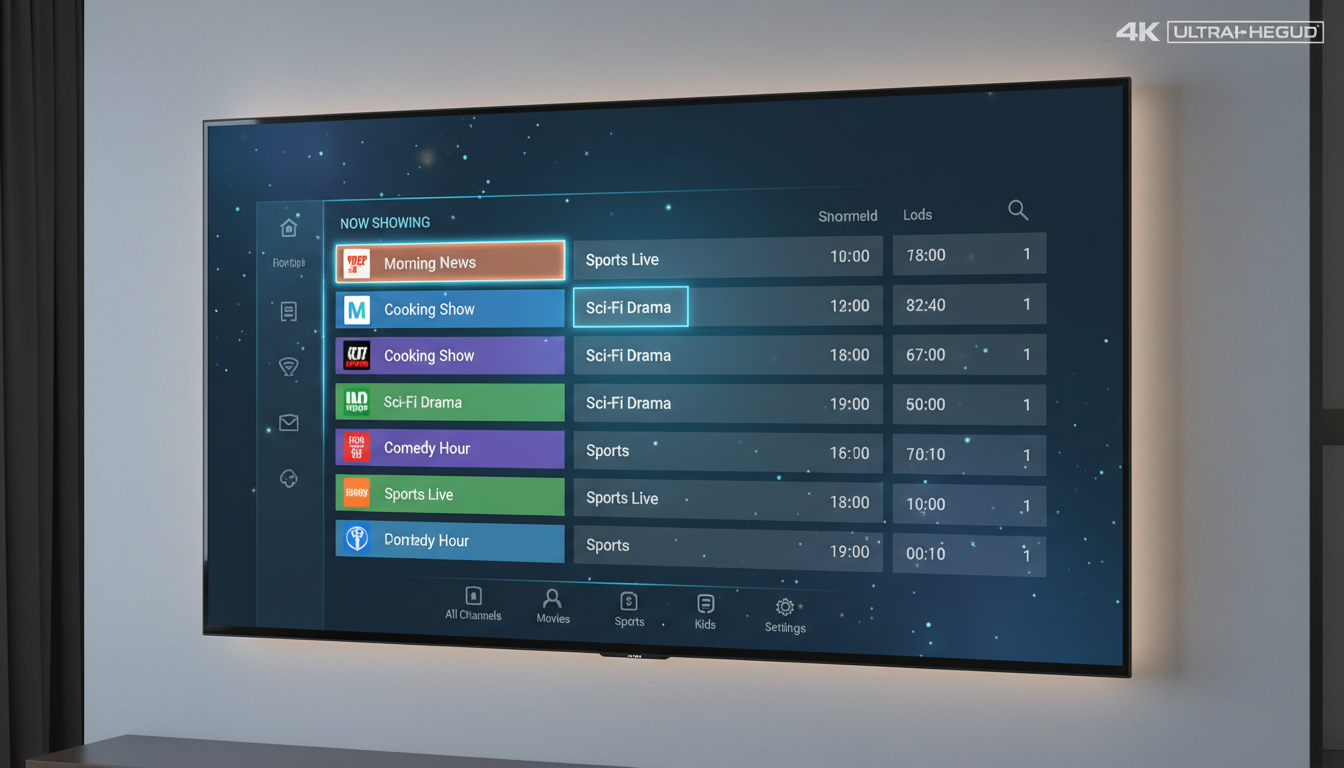
An IPTV EPG is a structured metadata feed that describes television programming across channels and time. It provides the visual grid you see in apps—channel names, program titles, start/end times, descriptions, thumbnails, genres, and metadata used for search and personalization.
Core components of an EPG
- Channel list: Logical channel numbers (LCN), channel IDs, and streaming endpoints.
- Program events: Program title, synopsis, start and end timestamps, episode and season numbers, content ratings.
- Metadata: Thumbnails, cast, genre tags, external IDs (TVDB, TMDB, IMDb), and rights windows.
- Scheduling fields: Timezone info, daylight-saving adjustments, and any time-shift offsets.
- Control flags: Catch-up availability, DVR/recordable flags, parental control indicators.
How IPTV EPGs Work — Technical Overview (2026)
EPG implementations have evolved but rely on a few consistent processes:
1. Data acquisition and authoritative sources
- Providers ingest program metadata from multiple sources: broadcast systems (DVB-SI/MPEG TS EIT), commercial metadata suppliers (Gracenote, local aggregators), and public XMLTV or JSONTV feeds.
- High-quality services use direct data feeds or licensed metadata to ensure accurate rights and descriptions.
2. Formats and transport
- XMLTV: Longstanding, widely supported XML-based format for program guides.
- JSONTV / JSON EPG: Lighter-weight JSON feeds and REST APIs are increasingly common for faster parsing on modern devices.
- Feeds are delivered over secure HTTP(S), often with compression (gzip) and caching headers (ETag, Cache-Control) to reduce bandwidth.
3. Normalization and mapping
- Feeds are normalized into a canonical EPG model. This includes timezone normalization (UTC base), unique program identifiers, and channel mapping to the provider’s channel list.
- When multiple sources conflict, policies (priority rules, freshness, or manual curation) resolve differences.
4. Real-time updates and push mechanisms
- Modern systems supplement periodic pulls with near-real-time updates via webhooks, WebSockets, or publish/subscribe (e.g., MQTT) to correct last-minute schedule changes.
- Providers use short TTLs for critical fields and can push notifications to apps when updates impact scheduled recordings or reminders.
Practical Features That Ensure You Don’t Miss Shows
To reliably catch programs, an EPG must do more than display a grid. Here are the features to look for and enable:
Scheduling and Reminders
- Set reminders: Local push or in-app reminders tied to precise EPG timestamps.
- Calendar integration: Export or add reminders to Google/Apple calendars for cross-device alerts.
- Smart reminders: AI-driven suggestions that remind you of upcoming shows based on viewing habits.
Recording and Catch-up
- Cloud DVR: Server-side recordings scheduled from the EPG remove client dependency and guarantee capture even if your device is off.
- Time-shift / Catch-up: On-demand playback for recently aired programs—look for flags in the EPG that indicate catch-up windows.
Personalization and Search
- Favorites and watchlists: Prioritize channels and series within the EPG grid.
- Advanced search: Search by cast, genre, or external IDs; semantic search powered by AI improves discovery.
Notifications and Fail-safes
- Push notifications: Immediate alerts for schedule changes or when recorded content is ready.
- Conflict resolution: Automatic rescheduling or alerting when recording conflicts occur.
Troubleshooting Common EPG Issues
Even the best systems can encounter problems. Here’s how to diagnose and fix common issues:
Time mismatches and DST problems
- Ensure your device syncs time via NTP and that your app respects the correct timezone. Many EPG errors stem from local clock drift or misapplied DST rules.
- Providers include timezone in EPG timestamps—confirm your player applies the correct offset.
Stale or missing program data
- Clear app cache and trigger a manual EPG refresh. If the problem persists, check whether your account has access to the relevant channel package.
- On the provider side, check feed parsing logs, TTLs, and whether upstream metadata providers reported suspension or rights changes.
Incorrect channel mapping
- Channel mapping errors happen when feed channel IDs don’t align with the service’s channel registry. Remap channels using unique upstream IDs or logical channel numbers to fix the grid.
Best Practices for Users: How to Never Miss Your Favorite Shows
Follow these actionable steps to stay on top of programming:
- Mark favorites: Add shows and channels to your favorites so the EPG surfaces them first.
- Enable cloud DVR: Use server-side recordings when possible—this is the safest way to guarantee capture.
- Turn on reminders and push notifications: Allow the app to send alerts to your devices.
- Use catch-up and on-demand: Check the EPG for catch-up flags instead of stressing over live times.
- Keep apps updated: Updates often include critical EPG and timezone fixes.
How CanzarTV Optimizes EPG for Reliability
At CanzarTV we design our EPG stack with redundancy and user experience in mind:
- Multi-source ingestion: We ingest licensed and broadcaster feeds, normalize them, and apply automated reconciliation to maintain accuracy.
- Real-time updates: Schedule changes are pushed to apps and recorded content is revalidated automatically.
- Cloud DVR and catch-up: Our platform offers server-side recording and a catch-up catalog tied directly to EPG metadata.
- Personalization: AI-driven recommendations and smart reminders help you discover and remember shows you’ll love.
- Privacy & compliance: We respect rights windows and comply with metadata licensing and regional broadcasting regulations.
Final checklist: Do this today
- Confirm your device’s time settings and timezone are correct (NTP enabled).
- Enable push notifications and cloud DVR in the CanzarTV app.
- Add your favorite channels and shows to watchlists or set automatic series recordings.
- Refresh the EPG if a schedule looks wrong and contact support if discrepancies persist.
Understanding IPTV EPG: How to Never Miss Your Favorite Shows is about making sure the metadata, delivery, and device behavior are all aligned. With correct EPG feeds, reliable time synchronization, cloud recording, and smart reminders, missing a show becomes a thing of the past.
If you’d like to experience a robust EPG and tools to guarantee you never miss a program, please check out CanzarTV’s subscription plans—we offer trial options and packages with cloud DVR, catch-up, and personalized reminders to match your viewing habits.

Canzar
Ready to stream? Pick your plan
Live TV, movies, sports and 10,000+ channels on any device — Firestick, Android TV, Smart TV, phone.
View Subscription Plans Compare Pricing
Moderation: Comments are reviewed before publishing. Be respectful and on-topic.
Guidelines: Share streaming tips, device help, or content recommendations. No spam, no promotions, no off-topic links.