

Last updated August 18, 2026 · Editorially reviewed by CanzarTV
Virtual reality (VR) is moving from novelty to a practical platform for immersive IPTV experiences. By 2026, improvements in headsets, codecs, low-latency delivery, and edge compute mean viewers can realistically expect live sports, concerts, and 360° channels to feel closer to “being there.” This article explains how VR intersects with IPTV, what to consider when adopting VR streaming, setup guidance, and the privacy and legal cautions you should keep in mind.
How VR changes the IPTV experience
Traditional IPTV delivers linear and on-demand video to screens; VR expands the viewing space in two ways. First, immersive 2D screens in a virtual environment let you watch multiple feeds or large-format content without a physical display. Second, true volumetric or 360° video places you inside the scene with spatial audio and head- or body-based orientation. Both require different delivery decisions—bandwidth, latency, encoding, and client rendering—than flat-screen streaming.
Content types and delivery models
Expect to encounter several content types: standard 2D “virtual screen” channels, stitched 360°/180° video, and volumetric captures that allow limited movement. Delivery can be client-side (the headset decodes the stream), cloud- or edge-rendered (frames are rendered centrally and streamed as video), or hybrid. Each model trades off device requirements, bandwidth, and responsiveness.
Selection criteria for headsets and services
Choose hardware and services based on practical criteria:
- Headset class: standalone headsets are convenient; tethered or PC-connected devices offer higher fidelity. Confirm current manufacturer documentation for exact CPU/GPU and codec support.
- Display and optics: resolution, per-eye pixels, field of view, and interpupillary distance (IPD) adjustment affect perceived sharpness and comfort.
- Controls and interaction: support for controllers, hand tracking, and voice navigation impacts usability for IPTV menus and channel surfing.
- App and DRM compatibility: verify that the IPTV app supports common streaming protocols (HLS, MPEG‑DASH, CMAF) and DRM systems required by the content provider.
- Battery life and thermal design: important for long viewing sessions on standalone devices.
Practical setup steps
Follow these steps to build a reliable VR IPTV setup:
- Select a headset and confirm codec and DRM support in the manufacturer’s documentation.
- Choose an IPTV provider that offers a VR-capable client or supports industry-standard streaming formats so you can use third-party VR apps if allowed.
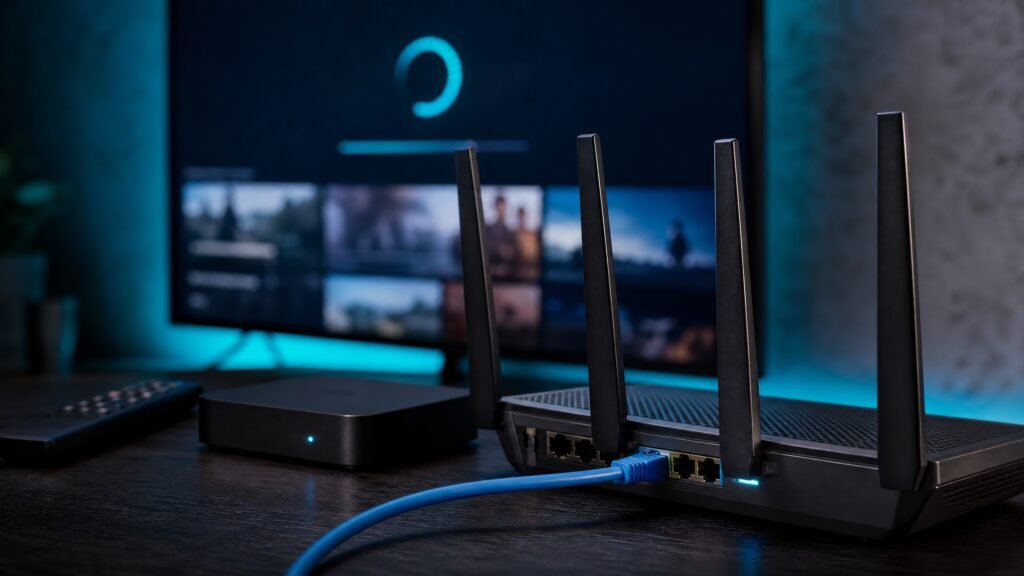
- Optimize your home network: use wired backhaul for the streaming source (STB, game/PC, or cloud gateway) and a Wi‑Fi 6/7 access point positioned to minimize interference. Consider quality-of-service (QoS) rules to prioritize streaming traffic.
- Configure adaptive bitrate (ABR) profiles and low-latency settings on the encoder or service—CMAF packaging and low-latency HLS/DASH improve synchronization for live events.
- Calibrate headset settings: IPD, audio output (spatial audio if supported), and comfort settings to reduce motion discomfort.
Performance considerations
Several technical challenges affect quality:
- Bandwidth: immersive and 360° formats require more throughput than typical HD streams. Use ABR and viewport-adaptive streaming to reduce average bitrate.
- Latency: interactive or live experiences need low end-to-end latency. WebRTC and low-latency CMAF workflows are commonly used where responsiveness matters.
- Rendering load: volumetric and high-resolution 360° content can exceed a headset’s native decoding capability. Foveated rendering and eye-tracking reduce required resolution by prioritizing the user’s gaze; confirm headsets and encoders support these features.
- Edge/cloud rendering: offloading rendering to nearby servers helps lower device requirements but adds network dependency—evaluate provider SLAs and edge locations.
Privacy and security
VR devices collect more personal data than a TV—motion, orientation, eye tracking, and sometimes audio or location. Treat this data sensitively:
- Limit permissions to the minimum necessary for playback and user interaction.
- Understand how biometric and telemetry data are stored and shared; check the headset and IPTV app privacy policies.
- Use secure network configurations: WPA3 where available, strong router administration passwords, and up-to-date firmware.
- Review DRM and authentication flows to ensure your credentials and decryption keys are handled securely by the client and server.
Legal and licensing cautions
Virtual reality does not change copyright and distribution rules. Make sure:
- You access channels and content through authorized services that hold the rights for VR or multi-view streams.
- You obtain appropriate licenses if you plan to rebroadcast or publicly display VR IPTV content—public exhibition and commercial uses often require extra clearance.
- You check local laws and terms of service for your provider and headset. Unofficial or unlicensed IPTV sources may be unlawful in your jurisdiction; use only services you are entitled to view.
A practical checklist
- Confirm headset support for required codecs, DRM, and foveated/eye-tracking features in the manufacturer documentation.
- Choose an IPTV provider or app explicitly offering VR-compatible delivery or standard streaming protocols you can use.
- Optimize network: wired uplink for the source, Wi‑Fi 6/7 access, and QoS for streaming traffic.
- Enable ABR and low-latency packaging on your encoder or service for live events.
- Review privacy settings and data-sharing policies for headset and IPTV applications.
- Verify content licensing and legal permissions before accessing or distributing VR streams.
Virtual reality has matured into a viable platform for IPTV, provided you choose compatible hardware and services, tune your network and delivery, and treat privacy and licensing with care. For a smooth start, review CanzarTV’s subscription options to find services that match your headset and viewing goals. If you have questions about compatibility, setup, or privacy, contact CanzarTV support—our team can help guide your next steps.

Canzar
Ready to stream? Pick your plan
Live TV, movies, sports and 10,000+ channels on any device — Firestick, Android TV, Smart TV, phone.
View Subscription Plans Compare Pricing
Moderation: Comments are reviewed before publishing. Be respectful and on-topic.
Guidelines: Share streaming tips, device help, or content recommendations. No spam, no promotions, no off-topic links.