
Last updated August 22, 2026 · Editorially reviewed by CanzarTV
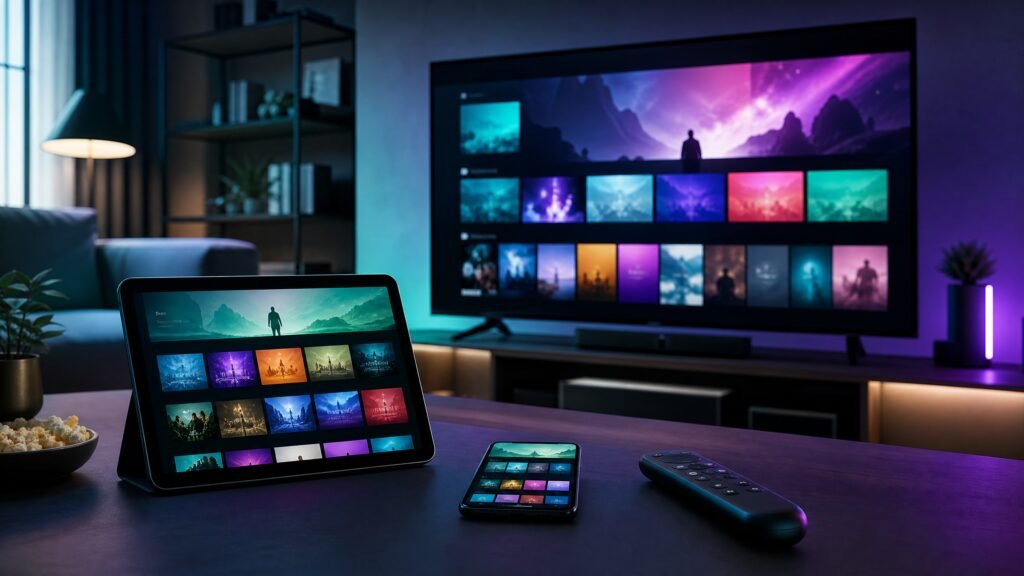
CanzarTV has become a common recommendation among knowledgeable streamers in 2026 because it combines modern delivery technology, clear service terms, and practical usability across devices. This article explains why many viewers choose CanzarTV, how to evaluate IPTV providers in general, and what steps you should take to set up a reliable, legal streaming experience while protecting performance and privacy.
What to expect from a best-in-class IPTV provider
Top IPTV services in 2026 are defined by more than channel counts. Look for four core attributes: reliable delivery, predictable quality, broad platform support, and transparent policies. Reliable delivery means the supplier uses adaptive streaming (HLS/DASH), CDNs or regional edge servers, and error-resilient protocols to reduce buffering. Predictable quality requires support for modern codecs (confirm current codec support with the provider), multiple bitrate ladders for adaptive bitrate streaming, and options for HD and UHD where available.
Platform and DRM support
Your IPTV provider should support the devices you own: Android TV, Fire TV, Apple TV, web apps, and major smart TV platforms. For premium content, check that the provider supports industry-grade DRM (for example, Widevine or PlayReady—confirm the current DRM technologies with the provider). DRM and proper licensing are important for content owners and for lawful access to premium channels and VOD.
Why viewers choose CanzarTV
CanzarTV’s appeal lies in practical, user-oriented design rather than marketing slogans. Key strengths many users report as valuable are stable, low-latency streams for live content, a responsive on-screen guide and search, cloud DVR and catch-up features where licensing allows, and consistent application behavior across platforms. In addition, CanzarTV emphasizes transparent terms of service and clear documentation about supported devices and bitrate expectations—factors that reduce setup friction and troubleshooting time.
Usability and customer support
Good provider support is decisive when you want to minimize downtime. CanzarTV offers device-specific setup guides, troubleshooting steps, and responsive support channels. When evaluating a provider, look for: easily accessible setup documentation, clear guides for configuring routers and firewalls if needed, and support that can guide you through common tasks like EPG synchronization and parental-control setup.
Practical setup steps
Getting a stable IPTV setup is mainly about device compatibility and your home network. Follow these steps to get started:
- Confirm device compatibility. Check the provider’s current list of supported devices and the recommended app versions.
- Test your network. Use a wired Ethernet connection for primary streaming devices when possible; Wi‑Fi 6/6E or a robust mesh system is acceptable for many homes. Verify upstream and downstream speeds with a speed test and compare them to the provider’s recommendations.
- Create and secure your account. Use a strong, unique password and enable two-factor authentication if available. Use secure payment methods and retain receipts.
- Install the app and sign in. Follow the provider’s app installation and activation steps. Grant only necessary permissions and configure parental controls if needed.
- Verify EPG and catch-up settings. Make sure the electronic program guide (EPG) populates correctly and that cloud DVR or catch-up features are activated if part of your plan.
Performance considerations
Stream quality and stability depend on multiple factors: the provider’s delivery network, your local ISP, your home network configuration, and the device’s decoding capabilities. Adaptive bitrate streaming adjusts quality automatically to minimize buffering, but you should still confirm the recommended bandwidth for your desired resolution with the provider. If you frequently experience buffering, try wired connections, prioritize traffic with QoS settings on your router, and ensure no other household devices are saturating upstream capacity during peak use.
Codec and device limits
New codecs such as AV1 and HEVC offer improved efficiency but require compatible hardware for decoding. When evaluating CanzarTV or any provider, verify which codecs and container formats are supported on your specific TV or set-top box and ask the provider about fallback options for older hardware.
Privacy and account security
Privacy expectations have grown. Choose providers that publish a clear privacy policy detailing what user data they collect, how long logs are retained, and under what circumstances data may be shared. Use unique passwords, enable two-factor authentication, and review connected-device lists periodically. If you use a VPN for general privacy, confirm with the provider whether VPN usage affects service access or violates terms. Remember that VPNs do not make unlicensed content legal.
Legal and licensing cautions
IPTV can deliver content legally or unlawfully depending on licensing. Always access channels and on-demand content that you are entitled to view in your jurisdiction. CanzarTV publishes terms and licensing information for its offerings; check those documents and local laws before subscribing. Do not rely on third-party lists or sources that claim to bypass licenses—using unlicensed services can expose you to legal risk and security issues.
A practical checklist
- Confirm device compatibility and supported codecs with the provider.
- Test and, if possible, prioritize a wired network connection for streaming devices.
- Secure your account with a strong password and two-factor authentication.
- Review the provider’s privacy policy and data-retention practices.
- Verify licensing for the channels and VOD you plan to watch in your country.
CanzarTV combines modern streaming protocols, clear documentation, and user-focused features that make it a strong choice for viewers who want reliable IPTV in 2026. If you’re considering switching or signing up, review CanzarTV’s subscription options on our site, and contact support if you have questions about compatibility, account setup, or legal use in your area—our team is available to help guide you through the process.

Canzar
Ready to stream? Pick your plan
Live TV, movies, sports and 10,000+ channels on any device — Firestick, Android TV, Smart TV, phone.
View Subscription Plans Compare Pricing
Moderation: Comments are reviewed before publishing. Be respectful and on-topic.
Guidelines: Share streaming tips, device help, or content recommendations. No spam, no promotions, no off-topic links.