
Last updated August 25, 2026 · Editorially reviewed by CanzarTV
Comparing subtitle formats: SRT, VTT, SSA/ASS and which players support them
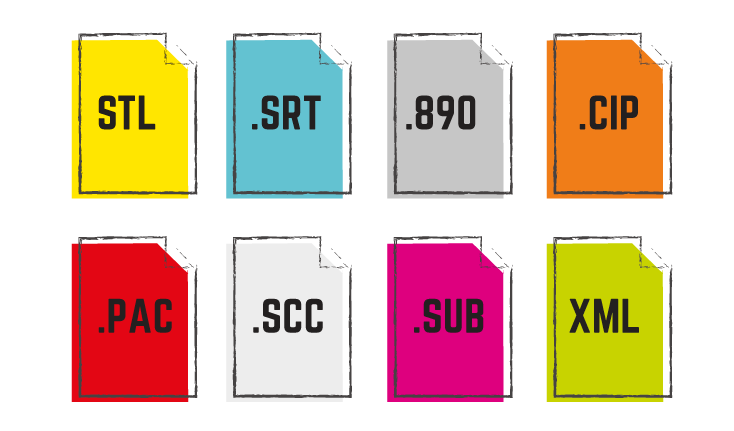
Subtitles are essential for accessibility, language learning and playback in noisy or quiet environments. But all subtitle files are not the same. Choosing the right subtitle format matters for styling, timing fidelity and device compatibility. This guide compares the most common formats—SRT, WebVTT (VTT) and SSA/ASS—explains typical player support, and gives practical steps so your subtitles work where you need them.
Quick overview: what these formats are
- SRT (SubRip Text): The most widely used plain-text subtitle format. Simple timing and text; minimal styling.
- VTT (WebVTT): A Web-friendly format created for HTML5 video and streaming (HLS/DASH). Similar to SRT but adds cue settings and basic styling markers used in browsers and some modern players.
- SSA/ASS (SubStation Alpha / Advanced SubStation Alpha): A feature-rich format with advanced layout, positioning, fonts and animation. Common in fansubbing, anime communities and any workflow that needs precise styling.
These formats differ in complexity and where they’re commonly used. Below we compare them in practical terms.
Format comparison table
| Feature | SRT | VTT (WebVTT) | SSA / ASS |
|---|---|---|---|
| File extension | .srt | .vtt | .ssa, .ass |
| Human-readable | Yes | Yes | Yes |
| Styling & positioning | Very limited (none standardized) | Basic (classes, line, position) | Extensive (fonts, colors, exact positioning, animations) |
| Typical use cases | Local playback, subtitles for DVDs, simple captioning | Web streaming (HTML5/HLS), browser-based players, modern apps | Fansubs, karaoke, titles needing advanced layout |
| Common container compatibility | Many containers accept external SRT; embedding support varies | Often used as external text track for HLS/DASH and browsers | Supported in advanced players; embedding varies by container |
| Ease of authoring | Very easy | Easy | More complex; requires subtitle editor |
| Support across devices | Broad but implementation varies | Strong in browsers and streaming stacks | Strong in desktop players; more limited on TVs/streaming sticks |
| Best when | You need widest simple compatibility | You target browsers or HLS/DASH streams | You need precise styling or animations |
Note: “Support” here is generalized. Device and app behavior differ by manufacturer, OS and firmware—always verify current documentation for your device.
Detailed differences and practical implications
SRT — simple, portable, broadly compatible
- Pros: Extremely simple format, human-readable, easy to edit in any text editor. Widely supported by desktop media players (VLC, MPV), many streaming servers and local playback solutions.
- Cons: No standardized styling beyond very basic text; different players handle line breaks, character encoding and positioning differently.
- Practical tip: Save SRT files in UTF-8 without a BOM for best cross-platform compatibility. For local playback, often placing a .srt file with the exact same base filename as the video will make the player load it automatically.
VTT — web-native and streaming-friendly
- Pros: Designed for the web and streaming. Supports cue settings (position, alignment, size) and basic styling classes. Browsers (Chrome, Edge, Firefox, Safari) and many HTML5 players expect WebVTT for text tracks.
- Cons: Not all traditional desktop players natively support all VTT features. Some smart TVs and older devices may not support VTT at all.
- Practical tip: Use VTT for web delivery and HLS/DASH streaming. If you deliver a single stream to browsers, VTT is the safest text-track choice.
SSA/ASS — styling power for when presentation matters
- Pros: Full styling engine: fonts, precise placement, color, bold/italic, karaoke effects and transformations. Ideal when subtitles are part of the artistic presentation.
- Cons: Complexity and less consistent support on consumer devices. Many smart TVs, simple streaming sticks or built-in players won’t render ASS’s advanced features; desktop players like VLC, MPV and Kodi normally handle them well.
- Practical tip: If you must use ASS for styling, test playback on target devices. For streaming to general audiences, consider burning (hardcoding) subtitles into the video if the look must be preserved everywhere.
Which players and platforms commonly support each format?
Support varies by player, app and device. Below are general patterns to guide testing and planning.
Browsers (Chrome, Firefox, Edge, Safari): WebVTT is the primary supported format for HTML5 text tracks. SRT can sometimes be used if converted or loaded by custom JavaScript players, but native HTML5 expects VTT.
Desktop players (VLC, MPV, PotPlayer, IINA): These typically accept SRT, VTT and SSA/ASS. They often have the most complete support for styling and positioning, especially for ASS.
Media center apps (Kodi, Plex, Emby, Jellyfin): Many of these support SRT and ASS/SSA, and some support VTT. Behavior can differ between server-side handling (Plex may transcode or deliver captions depending on client capabilities) and client apps.
Smart TVs and streaming sticks (Samsung, LG, Sony, Roku, Amazon Fire TV, Apple TV): Subtitle support is inconsistent. Basic SRT is commonly supported via USB or built-in players on many TVs, but advanced features from ASS may be ignored. Web streaming on TVs often follows the browser/player stack on that platform, so VTT may be used in apps that employ HLS with text tracks.
Cast and streaming protocols: Chromecast and other casting protocols often prefer WebVTT for text tracks in web-based streams. Apple’s platforms can prefer different subtitle technologies (e.g., timed text formats) depending on the app.
Always test on the exact device, OS version and app you expect users to use. Manufacturers and streaming apps update subtitle behavior over time.
Practical steps to get subtitles working across players
- Choose the right format for your audience: use SRT for simple local playback, VTT for browser/web delivery and HLS/DASH streaming, ASS if you need advanced styling—bearing in mind compatibility trade-offs.
- Check encoding: save subtitle files in UTF-8. Encoding mismatches are a common cause of garbled characters, especially for non-Latin scripts.
- Match filenames for local playback: many players auto-load external subtitles when the subtitle filename matches the video filename (e.g., MyMovie.mp4 and MyMovie.srt).
- Embed when helpful: containers like MKV can embed subtitle tracks; MP4 has more limited subtitle container support (commonly mov_text). If you distribute a single file, embedding reduces user steps—but verify the playback device supports the embedded subtitle format.
- Use streaming-ready tracks for web: for HTML5 and HLS/DASH, provide WebVTT tracks or server-side caption tracks as part of your streaming package.
- Test on target devices and apps: check playback on desktop, mobile, smart TVs and the streaming app(s) your audience uses. Note differences between server handling (e.g., Plex server) and client playback capabilities.
- Convert if needed: if a device supports only a different format, convert using subtitle tools or encoding utilities. Many subtitle editors and media toolkits can convert SRT <-> VTT and export ASS.
- Consider hardcoding when absolute fidelity is required: if ASS styling must be preserved and the target device won’t render it, burn subtitles into the video as a last resort (this makes them permanent).
Common container and streaming notes
- MKV: Flexible container that accepts embedded SRT, ASS and other subtitle tracks. Good for local distribution where player compatibility is known.
- MP4: Supports subtitles in specific text track formats (often mov_text). Some players won’t read external SRT with MP4 the same way as MKV.
- HLS/DASH: Typically use WebVTT or separate caption tracks. If you deliver to browsers and mobile apps, provide VTT cues for best compatibility.
Because containers and streaming stacks differ, matching the container and subtitle format to the playback target is crucial.
Tools and workflows (high-level)
- Subtitle editors: Use a subtitle editor to create or edit SRT/VTT/ASS files; editors help with timing, encoding and format export.
- Conversion and muxing: Tools can convert between formats and embed tracks into containers. Verify that converted files retain correct timing and encoding.
- Server and player settings: Streaming servers, media servers and client apps often expose options for which subtitle tracks to serve or transcode. Check those settings when preparing content.
Avoid giving specific tool commands here—software and options change. Check the documentation for the subtitle editor, muxer or server you use.
FAQ
Q: Which subtitle format should I use if I only need basic captions?
A: SRT is usually sufficient for plain text captions and has the broadest simple compatibility for local playback. For web streaming, WebVTT is preferred because it integrates better with HTML5 text tracks.
Q: Can I use ASS/SSA on smart TVs?
A: Some smart TV apps and advanced media players support ASS/SSA, but many built-in TV players ignore ASS styling. If ASS presentation is required, test on target devices or consider burning the subtitles into the video.
Q: Do browsers support SRT directly?
A: Native HTML5 text tracks are based on WebVTT. SRT may be usable if converted or handled by JavaScript players, but WebVTT is the standard for browser-based text tracks.
Q: How do I ensure subtitles display correctly for non-English characters?
A: Save subtitle files in UTF-8 encoding and confirm the player recognizes UTF-8. If you see garbled text, re-export with UTF-8 and test again.
Q: Can I embed multiple subtitle languages in one file?
A: Yes—container formats like MKV and MP4 can include multiple subtitle tracks. Streaming systems can also serve multiple caption tracks. Verify client apps support selecting between tracks.
Accessibility and standards considerations
If your goal is accessibility compliance (captions for the deaf and hard of hearing), follow local best practices and legal requirements for caption accuracy and timing. Web delivery often prefers WebVTT because it integrates with assistive technologies and browser caption controls, but local and broadcast workflows may use other standards. Consult accessibility guidance for detailed requirements.
Disclosure
Subtitle settings and compatibility can differ by TV model, device, operating system, app, region and firmware version. Always check the current manufacturer or app documentation and test on the exact target hardware/software before final distribution.
Conclusion
SRT, VTT and SSA/ASS each have strengths. Use SRT for simple, widely compatible captions; WebVTT when delivering to browsers or streaming stacks; and ASS/SSA when you need advanced styling—while remembering that advanced styling may not survive on every device. The best practice is to pick the format that matches your audience and delivery method, keep files in UTF-8, test on target devices and provide fallbacks when possible.
For additional how-to guides about playback and device setup, see our Streaming Guides, or check troubleshooting tips in Devices & Setup and tools that help with subtitle creation in Apps & Tools.

Canzar
Ready to stream? Pick your plan
Live TV, movies, sports and 10,000+ channels on any device — Firestick, Android TV, Smart TV, phone.
View Subscription Plans Compare Pricing
Moderation: Comments are reviewed before publishing. Be respectful and on-topic.
Guidelines: Share streaming tips, device help, or content recommendations. No spam, no promotions, no off-topic links.