
Last updated August 25, 2026 · Editorially reviewed by CanzarTV
Subtitle search and discovery tools: finding subtitles for rare languages or regional releases
Finding subtitles in less-common languages or for regional releases can be time-consuming, but it’s increasingly important as global audiences stream content from around the world. This guide explains practical search strategies, useful tools, and safe, legal ways to obtain or create accurate subtitles for niche languages and region-specific editions.
Why niche and regional subtitles are harder to find
Major releases and popular languages often get multiple subtitle files quickly. For niche languages, dialects, or region-specific releases (different Blu‑ray editions, TV broadcasts, or streaming platform variants), subtitles may be unavailable, out of sync, or limited to user communities.
Factors that make discovery harder:
- Multiple release variants with different timing (e.g., director’s cut vs. theatrical, region-specific masters).
- Small or dispersed speaker communities with few volunteer translators.
- Different language names, scripts, or ISO codes that complicate searches.
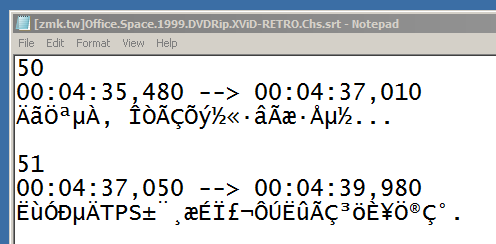
- Burned-in (hardcoded) subtitles that can’t be detached and require OCR to convert.
This article focuses on legal and community-driven approaches: searching established subtitle archives, asking communities, using assisted machine tools, and preparing or editing subtitles yourself.
Quick checklist before you search
- Identify the exact release you have: container format (MKV, MP4), frame rate (23.976, 25, 29.97), and region or distributor if known.
- Note the language name and common variants—local names, dialect names, and script (Latin, Cyrillic, Arabic, etc.).
- Decide whether you need a perfect translation or a machine-assisted draft you can refine.
- Respect copyright and licensing—do not request or share subtitles for illegal or pirated copies.
Where to start: subtitle databases and search engines
Several community-driven subtitle archives are the first stop for many users. These sites host user-submitted files in a wide variety of languages and formats. For rare languages, results vary by title and community engagement.
Common search targets (examples; availability varies):
- OpenSubtitles (community-driven archive with large language coverage)
- Subscene (popular for many releases and language options)
- Podnapisi (focused on TV and movies)
- Kitsunekko (anime-focused subtitle index; useful for niche anime languages)
- TV and film communities (see next section)
When searching, try alternate spellings, local language names, and ISO language codes (e.g., “fr” for French, but also local names like “Deutsch” vs “German”). If a search for a direct language name fails, search by the language family or a related dialect.
Community channels that help find or create subtitles
For rare languages, small communities are often the fastest route.
- Reddit and language-specific forums: many language and fandom subreddits accept subtitle requests or can point to local resources. Search for communities dedicated to the language or the show.
- Facebook groups and regional social networks: local film or translation groups sometimes maintain private subtitle collections.
- Volunteer subtitle platforms: Amara and TED’s Open Translation Project allow volunteers to create and host subtitles for niche languages.
- University or cultural organizations: language departments sometimes collaborate on translation projects for cultural preservation.
When making a request, provide exact release details, a short sample of dialogue for context, and be clear about format preferences (SRT, ASS, etc.). Be polite and patient—volunteer translators are often unpaid.
Assisted and automated tools: generating or translating subtitles
Automatic tools can help produce a usable first draft, which you can correct or improve. These are especially useful when no ready-made subtitle file exists.
Options and considerations:
- Auto-captioning services (speech‑to‑text): Many cloud providers and some video platforms offer automatic captioning. Quality is language- and accent-dependent and will often need human editing.
- Machine translation: Translate an existing subtitle file into a target language using translation tools, then refine manually. Machine translation can accelerate work but introduces errors and unnatural phrasing.
- Hybrid workflows: Generate auto-captions in the source language, then have volunteers translate and sync them. This approach balances speed and quality.
Always verify automatic transcripts and translations for accuracy, cultural sensitivity, and timing. For broadcast or commercial use, follow licensing and accessibility rules in your territory.
Subtitle editors and players you’ll need
To test, sync, or edit subtitles you find or create, common free tools include:
- Subtitle editors: Subtitle Edit, Aegisub, Jubler—these let you correct timing, edit text, and change encoding.
- Media players: VLC and MPV can load external subtitle files for quick testing and basic adjustments.
These tools support standard subtitle formats (.srt, .ass, .vtt). If you find a subtitle that’s out of sync, editors let you shift and stretch timing to match the file on your device.
Practical step-by-step: find, test, and sync a rare-language subtitle
- Confirm your source file details (filename, container, frame rate). Note any region-specific tags in the filename.
- Search large archives (OpenSubtitles, Subscene) using title variations and language variants. Try searching for the film/episode in the original-language title and translations.
- If the exact match isn’t available, broaden the search to related releases (different region) and check if timing differences are small.
- Search community channels (Reddit, language groups, Amara) and post a clear request if needed.
- If you find a subtitle for a different release, download and test it in VLC or MPV.
- If timings are off, use Subtitle Edit or Aegisub to shift or retime lines. For complex discrepancies, align key cue points (first and last dialogue) and use waveform or spectrogram tools in the editor to refine sync.
- When translating or editing, save with UTF‑8 encoding to preserve scripts and special characters.
- If you create or improve a subtitle, consider sharing it back with the original community or archive so others can benefit.
Comparison: types of subtitle sources (table)
| Source type | Where to look | Pros | Cons |
|---|---|---|---|
| Public archives | OpenSubtitles, Subscene, Podnapisi | Large collections; quick searches | Quality varies; may lack rare languages |
| Crowd platforms | Amara, TED community | Volunteer translations; collaborative tools | Dependent on volunteer interest |
| Language communities | Reddit, Facebook, local forums | Best for rare dialects; cultural nuance | May be slow; inconsistent formats |
| Auto-caption / machine translation | Cloud services, desktop tools | Fast initial transcript or translation | Accuracy varies; needs human editing |
| Commissioned translation | Professional translators, freelance marketplaces | High quality, culturally accurate | Cost; turnaround time varies |
Tips for searching by language and region
- Use local names and alternate spellings. Example: “Farsi” vs “Persian”; “Castilian Spanish” vs “Spanish”.
- Try ISO or language codes in advanced search fields when available.
- Include the release tag or distributor name in searches (if known) to find exact timing matches.
- Search in the language’s native script if you can—for example, use Cyrillic, Arabic, or Devanagari forms where relevant.
- If a dialect is spoken (regional variant), search for the larger language family and then ask community members for dialect-specific corrections.
Handling burned-in (hardcoded) subtitles
Burned-in subtitles are part of the video image and cannot be detached. Options:
- OCR tools can sometimes extract text from hardcoded subtitles, but accuracy varies by font, color, and contrast.
- If extraction is poor, a human transcriber may be needed to type subtitles manually while watching the video.
- For legal redistribution or commercial use, verify whether removing or recreating subtitles complies with rights and licensing.
Contributing and protecting your work
If you create or improve a subtitle file:
- Use UTF‑8 encoding and standard formats (.srt or .vtt for most players).
- Include language and region in the filename and inside the file header if the format supports it.
- Share through community archives or volunteer platforms, and consider adding a short note about source and sync target (e.g., “syncs to Blu‑ray 1080p, 24fps”).
- Respect copyright: do not attach or embed copyrighted audio/video files without proper rights.
FAQ
Q: Are subtitles legal to download and use?
A: Subtitles themselves are text files and may be shared under different terms. However, using subtitles with pirated or unauthorized copies of video is not legal in many jurisdictions. Always use subtitles with legally obtained content and verify distribution rules for any files you share.
Q: Can I use machine-translated subtitles for accuracy?
A: Machine translation is a helpful starting point but can produce errors in nuance, idioms, and cultural references. For public or accessibility use, have a fluent speaker review and edit machine translations.
Q: How do I match subtitles to my specific regional release?
A: Note exact file details (release tags, frame rate). Use subtitle editors to shift timing or align cue points. For large differences, search for a subtitle explicitly labeled for your release or request help from the community.
Q: What subtitle format should I choose?
A: .srt is widely supported for basic subtitles. .ass/.ssa support advanced styling and positioning. Use the format supported by your player and device, and keep a plain-text master copy encoded in UTF‑8.
Q: Can I request custom subtitles from the community?
A: Yes—many communities accept requests. Be clear about the release, provide sample timestamps or video clips if allowed, and respect any rules about sharing copyrighted material.
Best practices and ethical considerations
- Prioritize accessibility and accuracy, especially for content used by people with hearing impairments.
- Credit volunteer translators and respect their licensing preferences (some prefer Creative Commons or attribution-only sharing).
- Don’t request or distribute subtitles for illegal copies of content. If in doubt, use official distribution channels or seek permission from rights holders.
Conclusion
Finding subtitles for rare languages or regional releases takes patience and a mix of strategies: searching established archives, engaging language communities, using automatic tools as a first draft, and learning basic editing to sync files. By combining these approaches and contributing improvements back to the community, you’ll increase availability and quality for other viewers in niche language groups.
Disclosure: Settings, file compatibility, and available subtitle features can differ by TV, media player, device operating system, firmware version, and region. Always verify compatibility with your device and follow manufacturer or platform documentation.
For more on streaming setups and tools, see our guides in Streaming Guides, and check recommended software in Apps & Tools. If you need device-specific instructions for loading external subtitles, our Devices & Setup section has step-by-step help.

Canzar
Ready to stream? Pick your plan
Live TV, movies, sports and 10,000+ channels on any device — Firestick, Android TV, Smart TV, phone.
View Subscription Plans Compare Pricing
Moderation: Comments are reviewed before publishing. Be respectful and on-topic.
Guidelines: Share streaming tips, device help, or content recommendations. No spam, no promotions, no off-topic links.