
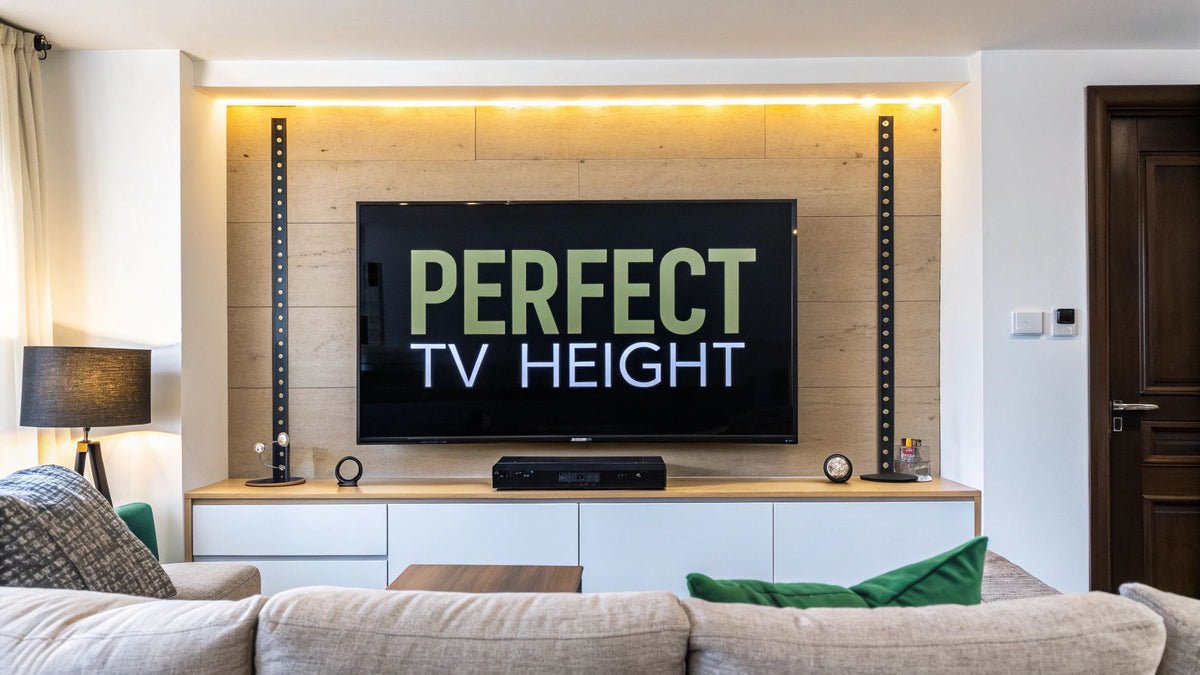
Last updated August 24, 2026 · Editorially reviewed by CanzarTV
Choosing a TV Mount and Positioning for Optimal Viewing in Small Living Rooms
Small living rooms are common in urban homes across Europe and North America, and getting TV placement right can make a compact space feel comfortable, efficient and cinematic. This guide walks you through how to choose the best TV mount position for a small living room, how to select between fixed, tilt and swivel mounts, and step-by-step practical tips for measuring, mounting and fine-tuning your setup.
Whether you want the clean look of a wall-mounted screen, the flexibility of a swivel arm, or the stability of a fixed bracket, the same basic principles—eye level, viewing distance and safety—will help you get it right.
Quick overview: what matters most
- Aim to align the center of the screen close to seated eye level or no higher than about 15 degrees above it.
- Match viewing distance to screen size and resolution: closer for higher-resolution displays, farther for lower-resolution ones (see the viewing distance section below).
- Choose a mount type to match how you use the room: fixed for straight-on viewing, tilt for slightly elevated positions, and full-motion (swivel) for multi-seat or angled setups.
- Always confirm the TV’s VESA pattern and weight capacity against the mount, locate studs or use manufacturer-recommended anchors, and follow the TV maker’s installation guidance.
Why positioning matters in a small living room
Small rooms magnify placement choices. A poorly positioned TV can make the room feel cramped, create neck strain, increase glare, and reduce picture quality. A well-placed TV can open sightlines, improve comfort and better integrate with furniture and décor.
Key ergonomic and practical goals are:
- Comfortable viewing without neck or eye strain
- Optimal picture quality (right distance and viewing angle)
- Safe, secure mounting and good cable management
- Space efficiency and balanced room aesthetics
How to determine the ideal wall mount height (wall mount height tv)
There isn’t a single correct height for every home, but a reliable starting point is to use your seated eye height:
- Measure seated eye height: sit on your usual sofa or chair and measure from the floor to your eyes. Typical seated eye height for adults ranges roughly between 90–110 cm (35–43 in), but measure for accuracy.
- Decide screen center height: aim to have the center of the TV near this seated eye height, or up to about 15 degrees below eye level for a slightly elevated screen. This keeps viewing comfortable and reduces neck strain.
- Convert to wall mark: measure half the TV’s height (not diagonal) and subtract it from the seated eye height to find the wall location for the top/bottom of the screen.
Example: if your seated eye height is 100 cm and your TV is 70 cm tall, mount the TV so its center is near 100 cm (top will be at 135 cm). If you prefer the top of the screen a little higher for aesthetics, use a tilt mount and keep tilt under gentle angles.
Note: If the TV will be mounted over a fireplace or on an accent wall higher than eye level, use a tilt or full-motion mount to angle the screen toward viewing positions. Mounting too high without tilt often causes neck discomfort.
Viewing distance and screen size (tv placement viewing distance)
Viewing distance affects perceived sharpness and comfort. Exact recommendations vary by source, screen resolution and eyesight, but these general guidelines help:
- 1080p (Full HD): viewing distance roughly 1.5–2.5 times the screen diagonal.
- 4K (UHD): you can sit closer and still resolve detail. A common range is 1–1.5 times diagonal for immersive viewing, though comfort varies.
For example, with a 55″ TV:
– 1080p comfortable distance: ~2.1–3.5 m (7–12 ft)
– 4K comfortable distance: ~1.4–2.1 m (4.5–7 ft)
These are general rules. Individual preference, vision and room constraints matter, so test with the actual TV if possible.
Choosing between fixed, tilt and swivel mounts (swivel mount vs fixed tv)
A concise comparison:
| Mount type | Best for | Advantages | Drawbacks |
|---|---|---|---|
| Fixed (low-profile) | Straight-on, close-to-wall installations | Clean look, stable, usually lowest price | No angle adjustment, can be poor for high placements or multiple seats |
| Tilt | Slightly elevated installations | Allows downward tilt to reduce neck strain and glare | Limited angle range; not ideal for large side-to-side adjustments |
| Full-motion / swivel | Rooms with multiple seating angles or corner installs | Wide range: tilt, swivel, extend; good for flexible viewing | Bulkier, more expensive, needs wall clearance when extended |
In a small living room:
– Choose fixed if the primary seating sits directly in front and you want a low-profile aesthetic.
– Choose tilt if you must mount the TV above typical eye level (e.g., over a console) but still want a neat wall mount.
– Choose full-motion if you need to rotate the screen toward different seats or rooms, or if the TV will sit in a corner.
Practical mounting checklist (step-by-step)
- Measure and plan
– Measure seated eye height and viewing distance.
– Confirm the TV’s diagonal size, height, VESA pattern and weight in the TV manual or on the manufacturer’s website. - Choose the mount
– Match the mount’s VESA compatibility and weight rating to your TV.
– Pick the mount type (fixed, tilt, full-motion) based on viewing needs and room layout. - Find studs and mark
– Use a stud finder to locate studs. Mounting to studs is the safest option for most drywall installations.
– If studs aren’t available where you need them, use manufacturer-recommended anchors or consult a professional. - Measure and mark on the wall
– Mark the mounting bracket’s screw pattern on the wall at the calculated height.
– Confirm level with a spirit level. - Pre-drill and attach bracket
– Pre-drill pilot holes appropriate to the screws and studs.
– Attach the wall bracket following the mount’s instructions. Tighten securely but avoid overtightening. - Attach TV plate and hang
– Attach the matching plate or bracket to the TV (follow torque and screw guidance in the TV manual).
– Lift and hang the TV on the wall bracket per instructions. This often requires two people for safety. - Secure and test
– Lock safety mechanisms and test the mount’s movement.
– Check the screen angle, level and stability. - Cable routing and ventilation
– Plan cable management—use cable channels, in-wall-rated kits (where allowed), or neat external conduits.
– Leave manufacturer-recommended clearance for ventilation. Don’t block vents or place the TV in a sealed enclosure unless it’s rated for that use.
If you’re unsure about structural issues or local building codes, hire a professional installer—particularly for masonry walls, high mounts, or heavy screens.
Optimizing for small rooms: layout tips
- Use furniture that keeps sightlines clear. Low-profile sofas and slim media units help.
- Consider mounting the TV slightly higher than in larger rooms if the sofa is pushed close to the wall, but use a tilt mount to angle the screen toward viewers.
- For multi-purpose rooms (dining + living), use a swivel mount or mount the TV on a short arm so it can turn toward the main activity area.
- Reduce glare with window treatments and mindful placement relative to windows and lights.
- Keep a short cable run to streaming devices and gaming consoles when possible; consider small wall-mounted shelves or recessed power/data plates.
Safety and compatibility reminders
- Always confirm the TV’s VESA pattern, weight and mounting instructions from the TV manufacturer. Compatibility can differ by model and region.
- On plaster, masonry or stone walls use appropriate anchors or professional installers.
- For in-wall power or cable routing, follow local electrical codes. In many places you’ll need in-wall rated cables and possibly an electrician for power outlet relocation.
Disclosure
Settings and compatibility can differ by TV model, mount manufacturer, device, operating system, region and firmware version. Always check your TV and mount manufacturers’ documentation before buying or installing.
Useful decision checklist (one-page summary)
- Do you sit mostly directly in front of the TV? Consider a fixed mount.
- Is the TV above eye level or over a fireplace? Get a tilt mount.
- Do you need to view from different parts of the room or a nearby angle? Choose a full-motion/swivel mount.
- Have you confirmed the TV’s VESA pattern and weight? Yes → proceed. No → verify with TV documentation.
- Are you mounting to studs or using appropriate anchors? If not confident, hire a pro.
FAQ
Q: What is the ideal height to mount a TV in a small living room?
A: Use seated eye height as your baseline and aim for the center of the screen to sit near that level. As a practical rule, avoid mounting the screen so high that you look up at it more than about 15 degrees—if you must place it higher, use a tilt mount so you can angle the screen down toward the viewer.
Q: Can I mount a TV over a fireplace in a small room?
A: You can, but be cautious. Heat and soot can affect TV electronics—check manufacturer guidance regarding fireplace installations. If mounting over the mantel is the only option, use a tilt or full-motion mount to angle the screen toward viewers and ensure adequate ventilation and clearance.
Q: Is a swivel mount better than a fixed mount for small rooms?
A: It depends on how you use the room. A swivel (full-motion) mount gives flexibility for multiple seating positions or corner placement, while a fixed mount gives a cleaner, lower-profile look and is often cheaper. In small spaces where seating is mostly in one place, a fixed or tilt mount is often sufficient.
Q: How close can I sit to a 4K TV in a small living room?
A: You can generally sit closer to a 4K screen than a Full HD screen and still perceive detail, but comfort varies by viewer. A commonly suggested range for 4K is about 1–1.5 times the diagonal, but personal preference and vision matter. Test in person if you can.
Q: What about cable management in a small room?
A: Keep cables neat with surface cable channels, slim raceways, or in-wall-rated kits where permitted. For a minimal look, place small streaming devices directly behind the TV on a wall-mounted shelf or use an IR extender if the TV’s ports are hidden.
Q: Should I consult a professional installer?
A: Yes, if you’re unsure about wall structure (masonry, stone), stud locations, load-bearing concerns, or local code for in-wall power. Professional installers can also offer neat cable routing and guarantee their work.
Helpful links and further reading
- For device setup and hardware choices, see Devices & Setup.
- For broader placement and streaming tips, check our Blog and Streaming Guides.
Conclusion
Choosing the best TV mount position for a small living room is a balance of ergonomics, aesthetics and safety. Start with seated eye height and viewing distance, then pick a mount type that matches how you use your space. Measure carefully, verify VESA and weight compatibility, and follow manufacturer instructions or hire a professional if the wall or electrical work is unfamiliar. With a bit of planning you can make a small room feel more open and comfortable while getting the best possible picture and viewing experience.

Canzar
Ready to stream? Pick your plan
Live TV, movies, sports and 10,000+ channels on any device — Firestick, Android TV, Smart TV, phone.
View Subscription Plans Compare Pricing
Moderation: Comments are reviewed before publishing. Be respectful and on-topic.
Guidelines: Share streaming tips, device help, or content recommendations. No spam, no promotions, no off-topic links.