

Last updated August 22, 2026 · Editorially reviewed by CanzarTV
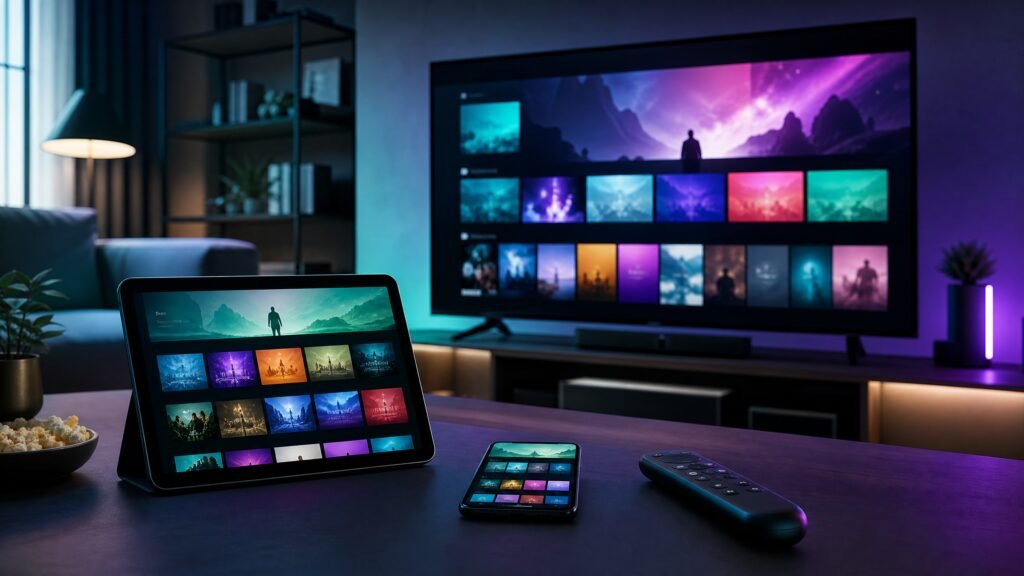
International travel in 2026 increasingly includes streaming as a routine part of staying informed and entertained. IPTV — the delivery of television content over Internet Protocol networks — is especially useful for travelers who want reliable access to home channels, language-specific programming, or regionally licensed content while abroad. Below I explain what IPTV offers travelers, how to set it up responsibly, what to look for when choosing a service or app, and practical performance, privacy, and legal considerations to keep streaming smooth and compliant.
What IPTV means for travelers
IPTV refers to live TV and video-on-demand services delivered over IP networks rather than traditional terrestrial, satellite, or cable formats. For travelers this typically means using an app on a phone, tablet, laptop, smart TV, or dedicated streaming device to access channels and VOD libraries over local Wi‑Fi or mobile data. Related terms you may encounter include OTT (over-the-top), adaptive bitrate (ABR) streaming, EPG (electronic program guide), and media container/playlist formats such as M3U/M3U8.
Key benefits for international travelers
- Access to home-language content: Keep up with news, sports, and cultural programs in your preferred language when local broadcasters don’t provide them.
- Portability across devices: Reputable IPTV providers support multiple devices and platforms, so you can switch from phone to TV in a hotel room or use a tablet during transit.
- Adaptive quality and efficient data use: Modern IPTV services use ABR to adjust video quality to current network conditions, which helps avoid prolonged buffering on variable connections and can reduce unnecessary data use.
- Offline viewing options: Many licensed services offer downloads for offline playback — useful on airplanes or in areas with poor connectivity.
- Consistent user experience: Familiar EPGs, account profiles, and personalized libraries maintain continuity with your home watching habits.
How to set up IPTV safely while traveling
Follow these practical steps to get IPTV working reliably without exposing yourself to undue risk.
- Choose a licensed provider: Subscribe to services that clearly state licensing and territorial rights. Unlicensed streams may be illegal and often pose security risks.
- Confirm device compatibility: Check that your phone, tablet, laptop, smart TV, or streaming stick supports the provider’s app and any required codecs. Manufacturer and provider documentation will list supported models and system requirements.
- Test at home before departure: Install apps, sign in, and download a few episodes to verify credentials and playback behavior while you still have a stable connection.
- Prepare network accessories: Carry a compact travel router or an Ethernet adapter for devices that lack wired ports — wired connections often outperform hotel Wi‑Fi.
- Consider data plans and local SIMs: If you plan to use mobile data, choose a data bundle that accommodates streaming or purchase a local SIM/hotspot at your destination. Monitor data usage through your device or the provider app.
Selection criteria for travel-friendly IPTV services
When evaluating providers for international travel, weigh these features:
- Licensing and territorial transparency: Providers should disclose where content is licensed for playback.
- Multi-device support and account limits: Check how many simultaneous streams are allowed and which platforms are supported.
- Offline download capability: Useful for flights or remote areas; check retention windows and file formats.
- Adaptive streaming and codec support: Services using modern codecs (for example, H.265 or AV1 where supported) may provide better quality at lower bitrates, but confirm device decoding support in documentation.
- Encryption and authentication: Secure playback and account protection reduce the risk of account takeover.
- Customer support and clear setup guides: Good documentation and responsive support are essential when you’re troubleshooting abroad.
Performance considerations and troubleshooting
Network variability is the main challenge when streaming abroad. Aim for the fastest and most stable connection available — wired Ethernet in a hotel room typically outperforms crowded public Wi‑Fi. If you must use public networks, prefer password-protected hotspots and consider using a personal hotspot from a local SIM.
Optimize playback by enabling hardware acceleration in the app or device when available, reducing resolution or bitrate settings on limited connections, and closing background apps that consume bandwidth. If buffering persists, restart the app, reconnect to the network, or switch to a cached/offline copy if you prepared downloads in advance.
Privacy, security and legal cautions
Protect your account and personal data by using strong, unique passwords and two-factor authentication where available. Use secure networks with WPA2/WPA3 for Wi‑Fi; avoid unprotected public hotspots or use a reputable VPN only if it is legal and allowed by your IPTV provider’s terms. Keep in mind that some countries have strict rules about the use of VPNs and content access. Always confirm the legality of accessing content from your chosen service in the country you’re visiting and respect regional licensing restrictions. Do not use or promote unlicensed IPTV services — they can expose you to legal risk, malware, and poor reliability.
A practical checklist
- Confirm your IPTV provider’s licensing and supported countries before travel.
- Test apps and download essential content while still on a trusted network at home.
- Pack an Ethernet adapter or travel router for better hotel connections.
- Verify device codec/hardware acceleration support in current manufacturer/provider documentation.
- Prepare a local SIM or data plan if you expect to stream over mobile networks.
- Enable strong account security: unique password and two-factor authentication.
IPTV can make international travel more comfortable and connected when you plan ahead, choose reputable providers, and respect local laws and licensing. If you’d like help comparing options, review CanzarTV’s subscription offerings and feel free to contact our support team with questions — we’re glad to assist you in finding a solution that fits your travel needs.

Canzar
Ready to stream? Pick your plan
Live TV, movies, sports and 10,000+ channels on any device — Firestick, Android TV, Smart TV, phone.
View Subscription Plans Compare Pricing
Moderation: Comments are reviewed before publishing. Be respectful and on-topic.
Guidelines: Share streaming tips, device help, or content recommendations. No spam, no promotions, no off-topic links.