
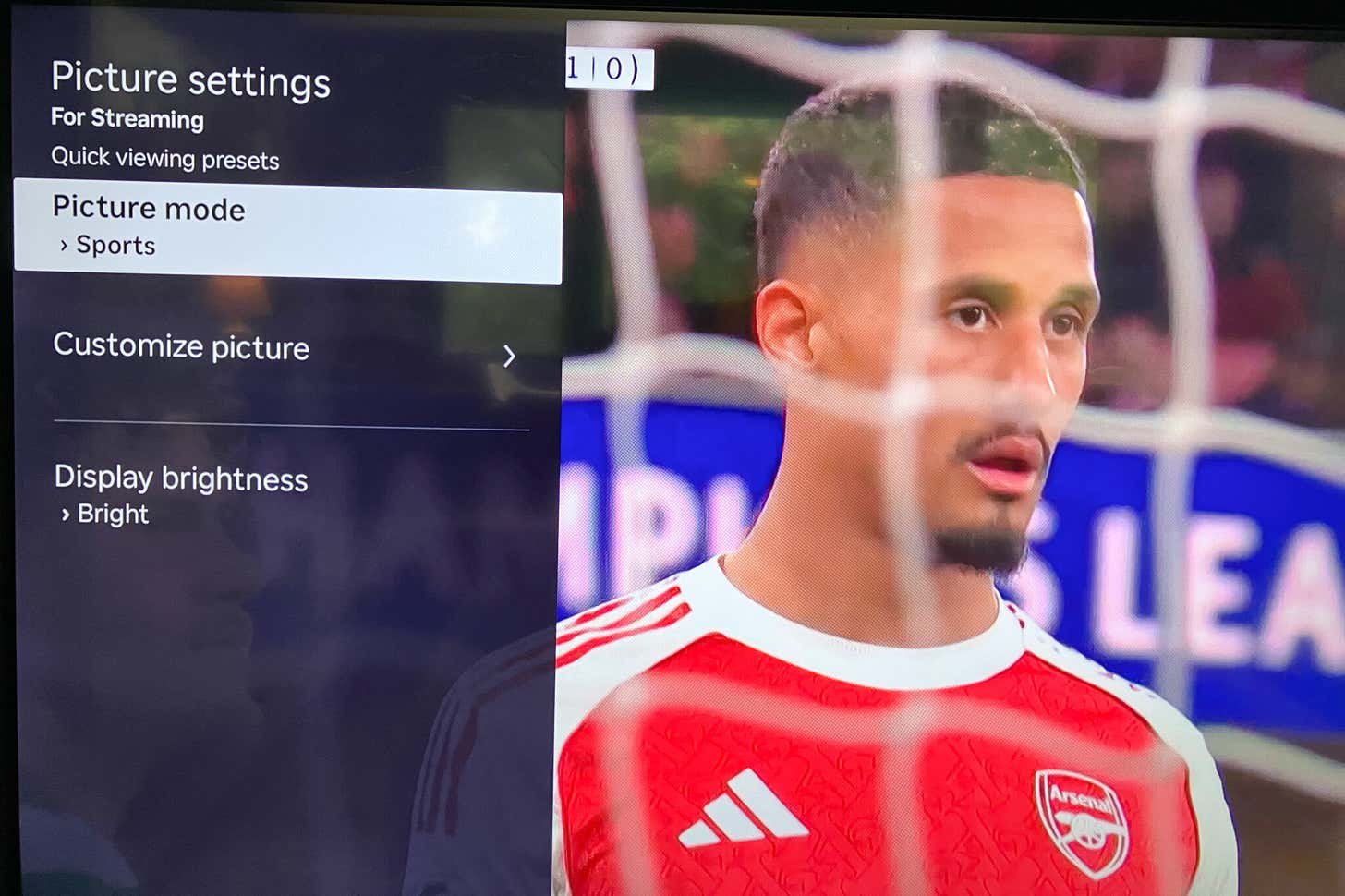
Last updated August 27, 2026 · Editorially reviewed by CanzarTV
How to Choose a TV for Sports If You Care About Motion and HDR Brightness
Watching live sports is a unique viewing challenge: you want fast, blur-free motion for panning cameras and quick action, plus bright, punchy highlights from HDR broadcasts. This guide walks through what matters most when you’re choosing a TV for sports—how motion handling and HDR brightness interact, what features to prioritize, and practical steps to compare models before you buy.
Whether you’re shopping for a living-room centerpiece or a dedicated sports TV, these recommendations are meant to be evergreen and cautionary: many details vary by model, region, firmware, and use case, so always verify current manufacturer documentation and hands-on reviews.
What makes sports different from movies and games?
- Motion dynamics: Sports camera work often includes rapid panning, sudden zoom-ins, and small fast-moving objects (balls, skaters, players’ limbs). That reveals blur and judder more readily than most movies.
- Bright highlights: HDR sports broadcasts use specular highlights—stadium lights, reflections, helmets—that benefit from higher peak brightness and good tone mapping.
- Continuous live content: Unlike cinematic content with fixed frame judder, live sports can expose processing artifacts from motion enhancement and frame interpolation.
Understanding those differences helps you pick the right balance of display technology and processing.
Key TV features that matter for sports
Below are the features to prioritize, why they matter, and practical advice for evaluating them.
Motion handling (the most visible factor)
What to look for
- Native refresh rate and supported frame rates: TVs differ in how smoothly they display high-motion content. Some manufacturers emphasize higher refresh rates or frame-rate conversion.
- Motion interpolation (frame smoothing): Also called motion smoothing, motion flow, or MEMC on some TVs. It inserts calculated frames to reduce blur/judder.
- Black frame insertion (BFI) or cadence flicker: Techniques that reduce perceived motion blur by inserting black frames or strobing the backlight. Effective but can reduce overall brightness and may cause flicker for some viewers.
- Response time and pixel transition speed: Faster pixel response reduces trailing and smearing on fast-moving objects.
- Judder reduction and dejudder engines: Some TVs apply specific processing to handle camera pans and mixed frame rates.
Practical advice
- In-store tests: Watch a sports clip or a demo with fast panning. Look for smoothness without visible soap-opera motion artifacts (the overly smooth or unnatural look) and without trailing smears.
- Try motion modes: Motion interpolation can be helpful for sports, but preferences vary. Try different levels—off, low, and medium—to see what looks natural to you.
- Consider BFI cautiously: Excellent for reducing blur but can lower peak brightness and introduce flicker sensations for some viewers. If you’re sensitive to flicker, BFI may not be a good fit.
HDR brightness and tone mapping (how highlights pop)
What to look for
- Peak-atmosphere performance: How bright the TV can make specular highlights without clipping adjacent shadow detail.
- Full-array local dimming vs edge-lit: Full-array local dimming helps create contrast and make highlights appear brighter against deep blacks. Edge-lit designs often struggle to control blooming around bright objects.
- Panel type trade-offs: Some technologies deliver very deep blacks (making highlights appear more contrasty) while others achieve higher sustained peak brightness.
- HDR support and dynamic metadata: HDR formats and how a TV uses dynamic metadata affect the tone mapping of live sports HDR feeds. Implementation varies by model.
Practical advice
- Look for a combination of effective local dimming and high peak brightness for the most impactful HDR highlights in stadium scenes and reflective surfaces.
- Inspect tone-mapping behavior: When watching HDR sports clips, check how the TV handles bright stadium lights and whether it crushes shadow detail or washes out color.
- Be aware of region/model differences: Brightness and HDR behavior often vary by model variant; check the exact SKU and regional specifications.
Panel technology: general guidance
- OLED-style panels: Excellent black levels and contrast help HDR appear punchy, and pixel response is very fast so motion blur is low. However, peak sustained brightness can be lower than some high-end LCDs, which might reduce the “sparkle” of HDR highlights in very bright stadium scenes.
- LED/LCD with local dimming: Can reach higher peak brightness on HDR highlights, making lights and reflections pop. The trade-off is potential blooming (haloing) around bright objects if dimming zones are coarse.
- QD/OLED hybrids and newer displays: Manufacturers combine technologies to aim for best of both worlds—deep blacks and very bright highlights. Performance varies by model and firmware.
Avoid sweeping endorsements; instead, evaluate individual models and balance what matters most to you: absolute peak highlight punch or perfect black-level contrast.
Input lag and additional features
While input lag matters more to gamers, it’s worth noting that some TVs reduce processing in “game mode,” which can affect motion handling and tone mapping. If you use the set for both gaming and sports, you may need to toggle modes or accept a compromise.
Other useful features
- Anti-reflective coatings and matte screens: Daytime sports viewing in bright rooms benefits from better reflections control.
- Wide color gamut performance: Adds vibrancy to team colors, stadium grass, and skies—valuable for HDR sports.
- Multiple HDMI inputs with sufficient bandwidth: Useful if you connect multiple set-top boxes, streaming devices, or consoles that also receive live sports apps.
A practical checklist when comparing TVs for sports
- Watch real sports footage (ideally live or high-frame-rate replays) and look for blur, judder, and haloing.
- Test different motion-processing settings and note your preference for smoothness versus natural motion.
- Look at HDR highlights on stadium light footage: are bright spots punchy without losing nearby shadow detail?
- Test in lighting conditions similar to your room (daylight, evening lamps) to evaluate reflection handling.
- Verify the TV’s feature implementation (local dimming, BFI, motion interpolation) in the hands-on review or manufacturer documentation.
- Confirm HDR format support and whether dynamic metadata is handled by the TV in a way that benefits broadcast or streaming sports.
- Compare warranty and expected lifetime considerations (for example, if burn-in is a concern for static logos on some panel types).
Comparison table: How common features affect sports viewing
| Feature | How it helps sports viewing | Typical trade-offs / notes |
|---|---|---|
| Higher native refresh and good frame interpolation | Reduces judder and smoothing makes panning look clearer | Interpolation can create unnatural motion; factory default varies by brand |
| Black frame insertion (BFI) | Lowers perceived motion blur for fast pans | Can reduce brightness and may introduce flicker for some viewers |
| Full-array local dimming | Improves contrast and allows highlights to appear brighter against dark backgrounds | Coarse zone control can cause haloing around bright objects |
| Very high peak brightness | Makes specular highlights and stadium lights pop in HDR | May raise power draw; sustained brightness differs by model |
| OLED (or equivalent) panels | Fast pixel transitions and perfect blacks for contrast | Peak sustained brightness may be lower than bright LCDs |
| Anti-reflective screen | Improves daytime viewing in bright rooms | Can slightly reduce perceived contrast in some viewing angles |
Practical setup and settings tips for the best sports picture
- Start from a neutral picture mode such as “Movie” or “Standard”—they often have more accurate color and less aggressive processing.
- Test motion smoothing at different levels: many viewers like a low-interpolation setting for sports because it reduces judder without creating the soap-opera effect.
- If the TV has BFI or a strobe backlight option, test it briefly to see if you find the motion improvement worth the brightness trade-off.
- Turn on or adjust local dimming but be aware some aggressive local dimming can cause distracting edge blooming around bright objects.
- Use the TV’s “HDR” or “Auto HDR” settings for live HDR broadcasts; if you watch mostly SDR sports, ensure the TV handles SDR-to-HDR upscaling gracefully.
- Consider room lighting: dim the room for best HDR impact but use anti-reflective measures (positioning, curtains) in bright rooms.
- If you have a set-top box or streaming stick, ensure it’s set to pass the highest available signal format and that any HDMI input settings on the TV are set to the correct mode for full bandwidth and HDR handling.
If you want step-by-step setup guidance for devices that feed your TV, see our Devices & Setup section for walkthroughs.
Buying strategy: balancing budget and priorities
- If motion clarity is your top priority: focus on models with fast pixel response, tested low blur, and flexible motion processing. In many cases, midrange to higher-end LCDs or fast OLEDs are good candidates.
- If HDR pop is your top priority: prioritize peak brightness and effective local dimming. High-brightness LCDs with many dimming zones or hybrid displays often excel here.
- If you want a “do-it-all” TV: look at recent hands-on reviews and in-person demos to see which models find the best balance between motion handling and HDR tone mapping.
Remember: practical in-room testing or trustworthy hands-on reviews are more valuable than marketing claims.
Frequently asked questions (FAQ)
Q: Should I leave motion smoothing on for sports?
A: It depends on taste. Motion smoothing reduces judder and can make camera pans look smoother, which many sports viewers prefer. However, some people dislike the “soap-opera” effect. Try low or medium settings first; if the TV offers per-input presets, save your preferred setting for the input you use for live sports.
Q: Is OLED or LED/LCD better for sports?
A: Both have strengths: OLED excels at deep blacks and fast pixel response, making motion look clean and contrast appear strong. LED/LCD (especially models with strong local dimming and high peak brightness) can make HDR highlights very bright. The right choice depends on whether you prioritize absolute highlight sparkle or contrast and micro-motion clarity. Check hands-on reviews and, if possible, view real sports footage on both types.
Q: How important is HDR for live sports?
A: HDR can improve the realism of stadium lighting, reflections, and color saturation. Its impact depends on the broadcast or streaming source (not all live sports are HDR), the TV’s peak brightness and tone mapping, and your viewing environment.
Q: Will “game mode” help when watching sports?
A: Game mode reduces processing to lower lag for interactive gaming. That can sometimes change motion interpolation and HDR tone mapping. For passive sports viewing you may prefer a picture mode optimized for video processing, but if you use the same TV for both purposes, switching modes as needed is a common compromise.
Q: How can I verify a TV’s real-world performance before buying?
A: Visit a store with sports demos, check reputable hands-on reviews that include motion and HDR testing, and read user feedback. Verify that the exact model (and regional SKU) you’re considering has the same feature set described in reviews.
Further reading and related guides
If you want deeper setup instructions, check our Streaming Guides for streaming app recommendations, or our Sports & Live TV pages for tips on getting the best live-sports picture from apps and set-top boxes. For technical deep dives and device walkthroughs, see our Blog.
Conclusion
Choosing a TV for sports requires balancing two main goals: smooth, low-blur motion and impactful HDR highlights. Focus on testing real sports footage, experimenting with motion-processing settings, and checking how the TV handles HDR bright spots and local dimming. Panel technology matters, but model-level implementation and firmware tuning often matter more than the marketing label. Prioritize what you personally value—peak highlight punch, deep contrast, or the smoothest panning—and use hands-on tests and reputable reviews to confirm your choice.
Disclosure: Settings and feature compatibility (motion modes, BFI, HDR formats, local dimming behavior) can differ by TV model, connected device, operating system, region, and firmware version. Always verify current manufacturer documentation and hands-on reviews for the exact SKU you intend to buy.

Canzar
Ready to stream? Pick your plan
Live TV, movies, sports and 10,000+ channels on any device — Firestick, Android TV, Smart TV, phone.
View Subscription Plans Compare Pricing
Moderation: Comments are reviewed before publishing. Be respectful and on-topic.
Guidelines: Share streaming tips, device help, or content recommendations. No spam, no promotions, no off-topic links.